
Everything your
agency runs on,
without leaving HighLevel
Task Engine is packed with smart, scalable features designed to help GHL users manage tasks, automate workflows, and keep operations running smoothly – without switching between multiple tools or platforms.
Recurring Tasks
Trigger tasks based on client actions, pipeline stages, or form submissions – no external automation tools needed.
Automations & Triggers
Trigger tasks from forms, pipelines, or CRM updates with 40+ workflow triggers and actions. No Zapier or Make required.
Board, List, Table & Timeline Views
See your work as a board, list, table or timeline, and switch views anytime.
Tags, Filters & Search
Organize and locate tasks instantly with smart tags, filters, and search functionality.
Subtasks & Checklists
Break down larger tasks into actionable steps with subtasks and checklists.
Folder Organization
Group tasks by project, client, or campaign for structured execution.
Notifications & Reminders
Get real-time alerts via email or in-app for updates and due dates.
Dashboards & Reporting
Track project progress and team workload with intuitive dashboards.
Team Collaboration Tools
Add comments, attach files, and @mention team members to keep everyone aligned.
Roles & Permissions
Task Engine gives you complete control with roles and permissions to manage access across your team.
AI Workspace Setup
Describe your business and get spaces, lists and starter tasks drafted for you to review before they’re created.
AI Suite
AI priorities, project health checks, SOPs, templates and project builds. Available on paid plans.
Connect Your AI Assistant (MCP)
Connect compatible AI assistants, including Claude and ChatGPT, with read-only or read & write access. Available on paid plans.
Analytics
See completed, overdue and on-time work by team and project, plus hours logged and billable time.
Custom Statuses
Set the statuses that fit how your team works, list by list.
Smarter Tasks
Add checklists, start dates and reminders, link tasks to CRM contacts and opportunities, and track time with a timer or time logs.
Client Portal
Give each client a read-only link to see their tasks and progress. No login needed.
Import Your Work
Bring your spaces, lists and tasks over from ClickUp, Asana or Trello, with statuses, due dates, tags and subtasks.
How import works
Switching tools? Your work comes with you.
Moving from ClickUp, Asana or Trello doesn't mean starting over. Import your spaces, lists and tasks into Task Engine and keep your team moving inside GHL.
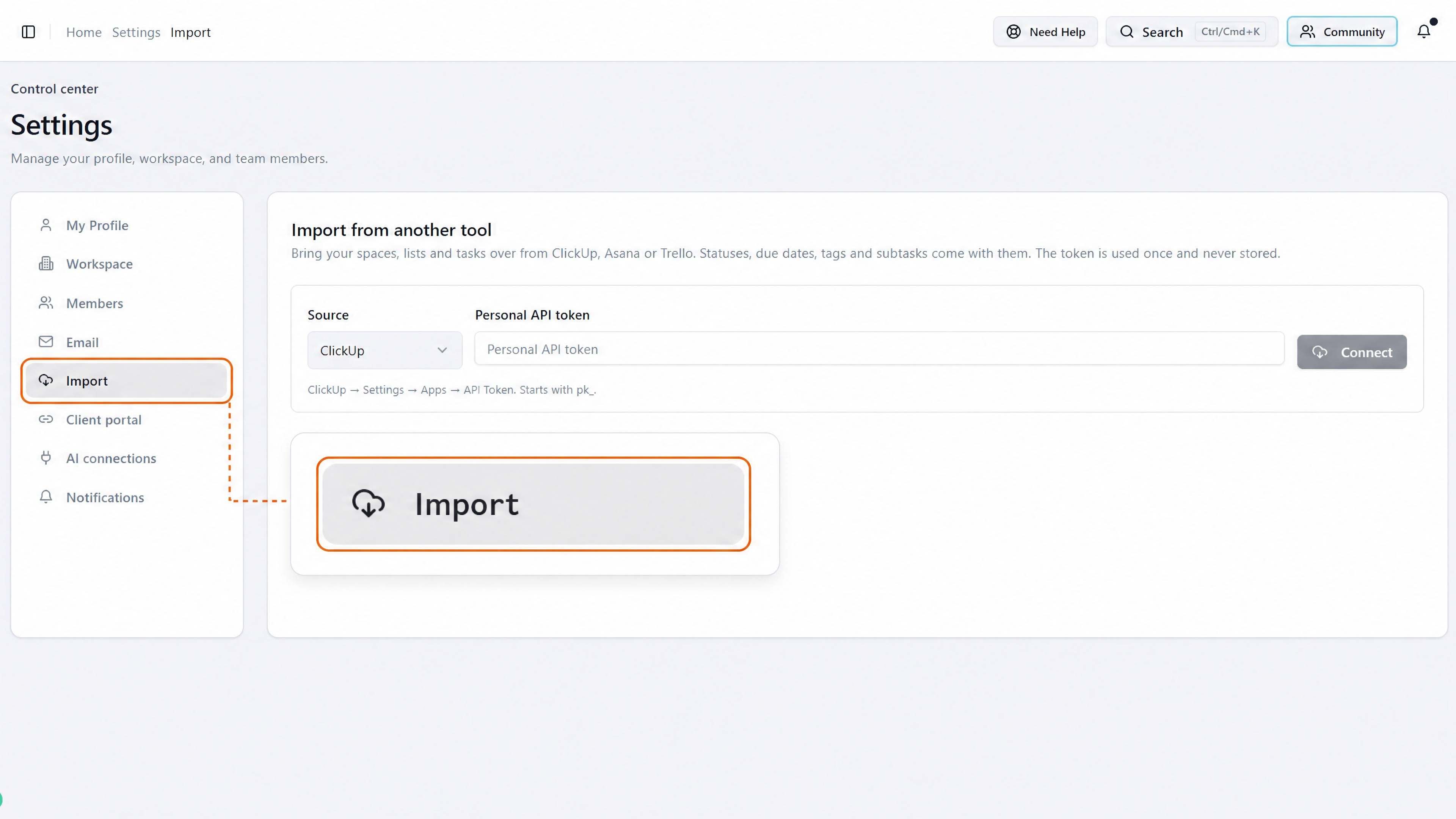
Go to Settings, Import.
Choose ClickUp, Asana or Trello and paste your personal API token from that tool. It's used once and never stored.
· ·
Your spaces, lists and tasks come over, with statuses, due dates, tags and subtasks.
Client portal
A portal your clients can check anytime
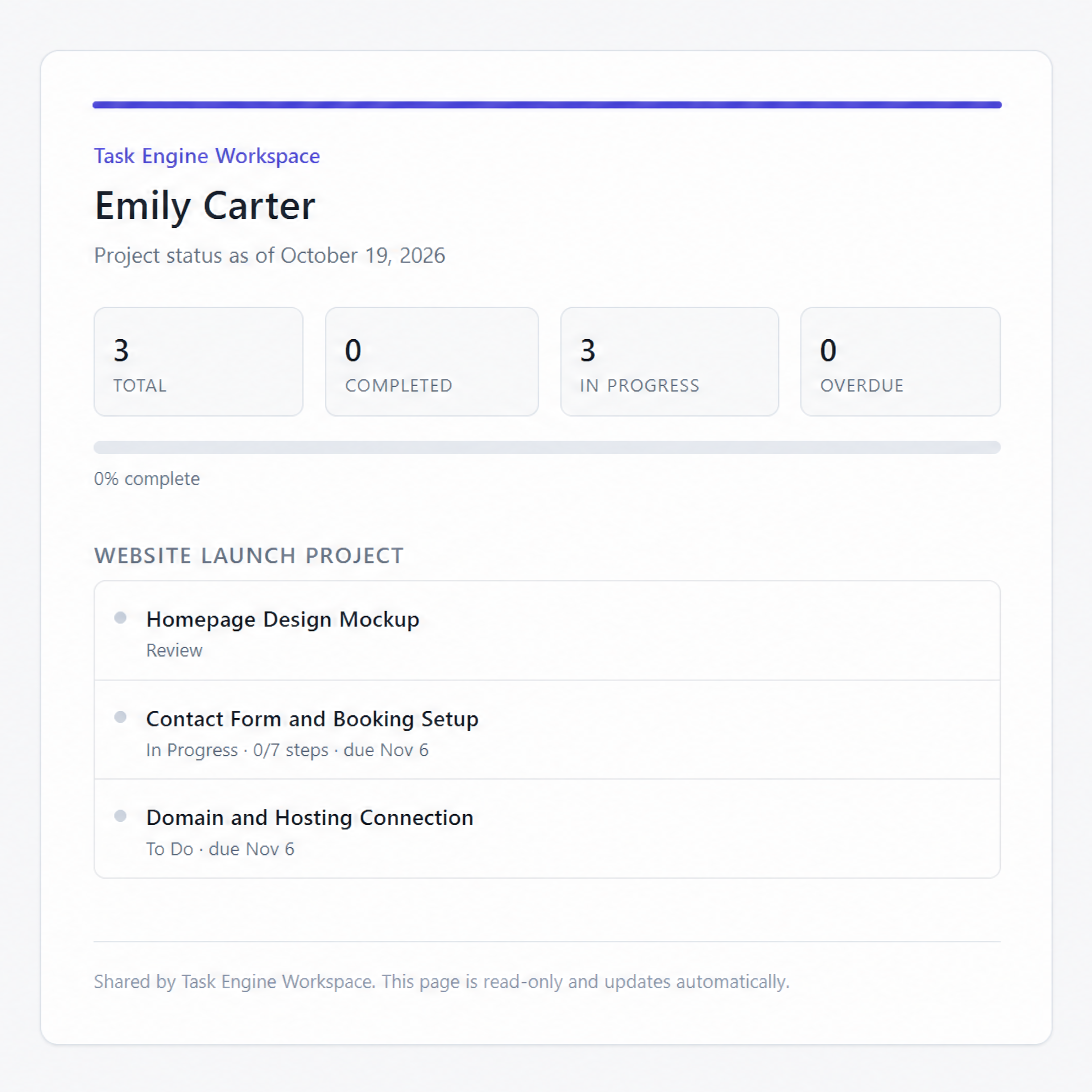
Your clients want to know where their work stands. Link their tasks to their contact record and share one portal link. They see their tasks and progress, and you skip the status update emails.
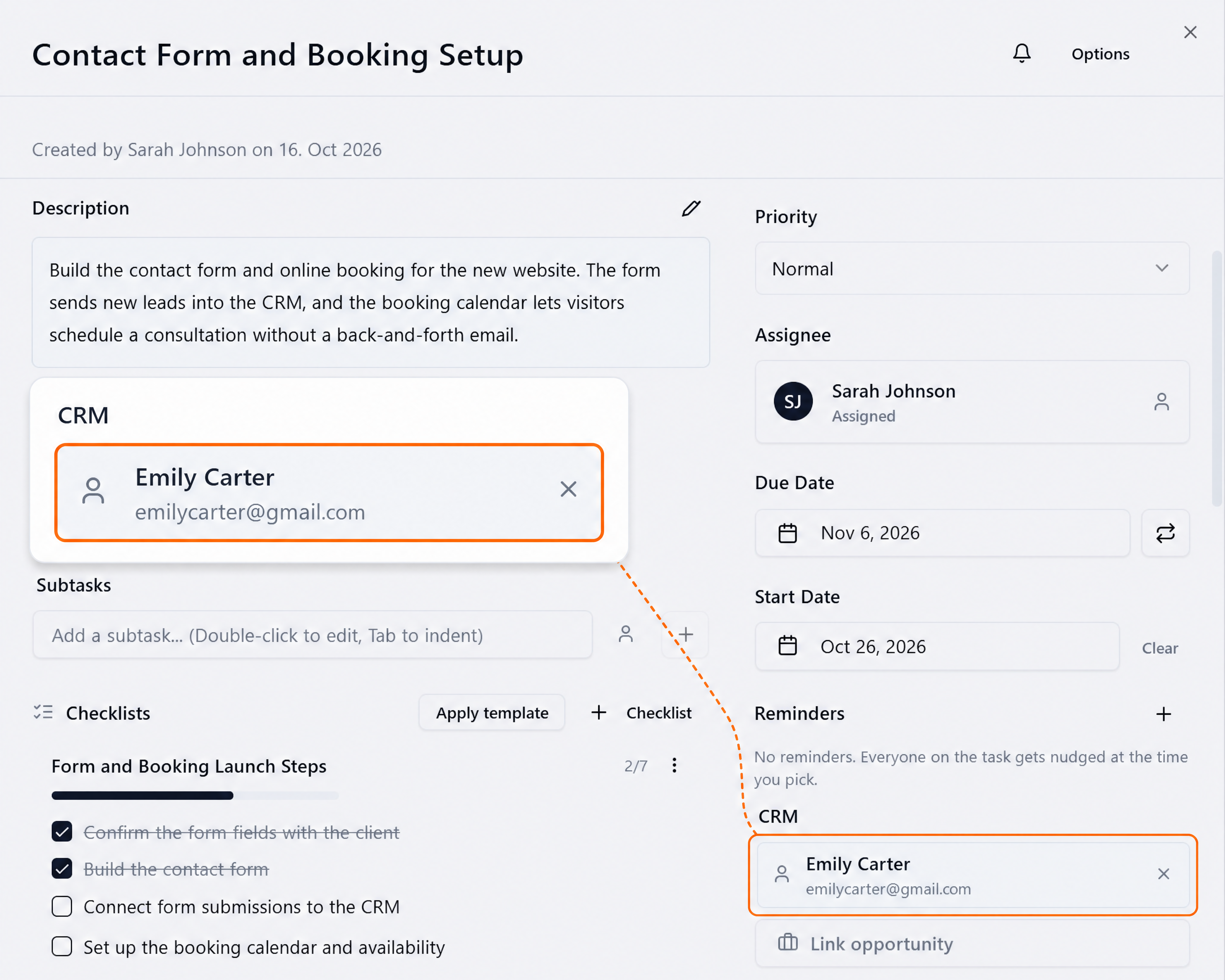
Step 1
Link the task to your client
Open a task and link it to the client's contact in the CRM section.
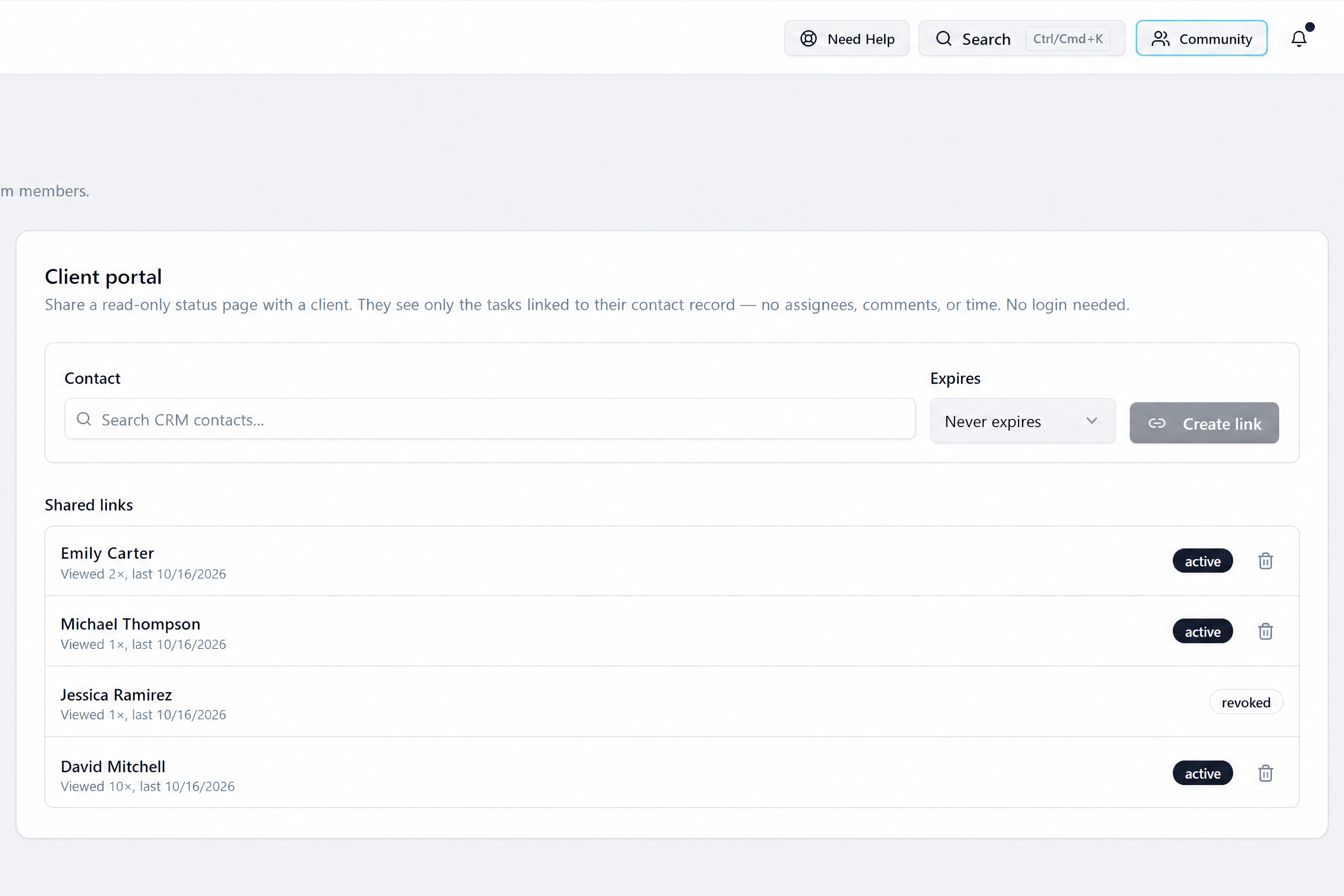
Step 2
Create their portal link
Go to Settings, Client portal, search the contact and create their link. Choose how long it lasts:
Step 3
Share it with your client
Share the link. Your client sees only their tasks and status, with no login needed.
Read-only, so nothing changes on your side
Assignees, comments and time logs stay private
Set the link to never expire, or to expire after 30 days, 90 days or 1 year
Say Goodbye to Scattered Tools
Start managing your operations with one engine built for performance, automation, and scale – designed for users ready to move faster.
Task Engine is the smart task manager built for GHL users. Centralize your team, automate recurring work, and scale without chaos.


©2026 Task Engine (A Division of Conversion Simplified LLC) | All Rights are Reserved